



CrewCam vs Kraaft: Why Field Crews Are Making the Switch

CrewCam vs Kraaft: Why Field Crews Are Making the Switch
You're on a job site. Signal is spotty. Your foreman needs to know if the delivery arrived. A subcontractor is asking for yesterday's photos for a punch list. And someone just sent a blurry photo to a group text that's now buried under 47 other messages.
Sound familiar?
Photo apps like CrewCam solve part of the problem. But field crews increasingly need more than a place to store pictures — they need a tool that works the way they actually work. That's where Kraaft comes in.
Here's an honest breakdown of CrewCam vs Kraaft, and why more and more crews are choosing Kraaft as their go-to field app.
What CrewCam Does (and Does Well)
CrewCam is a straightforward jobsite photo app. You take photos, they get GPS and time-stamped, organized by project, and stored in the cloud. Your crew can view them in real time, leave comments, annotate photos, and create basic checklists. It keeps your personal camera roll clean and gives you documentation if something goes sideways on a job.
For a small operation that mostly needs photo proof-of-work, it does that reasonably well.
But here's the thing: most field crews aren't just taking photos. They're coordinating, communicating, assigning tasks, writing up daily reports, and trying to keep the office and the job site in sync — often with one bar of service in the middle of nowhere. And that's where a photo-first app hits a wall.
Kraaft Was Built for How Field Work Actually Happens
Kraaft isn't a photo app with some extras bolted on. It's a field communication platform built from the ground up for crews and the sites they work on — with photo documentation as one piece of a much bigger picture.
Here's what that looks like in practice.
The Interface Looks Like WhatsApp — On Purpose
The biggest reason field tools fail is that crews don't use them. They're too complicated, too slow, or too different from the apps people already use every day.
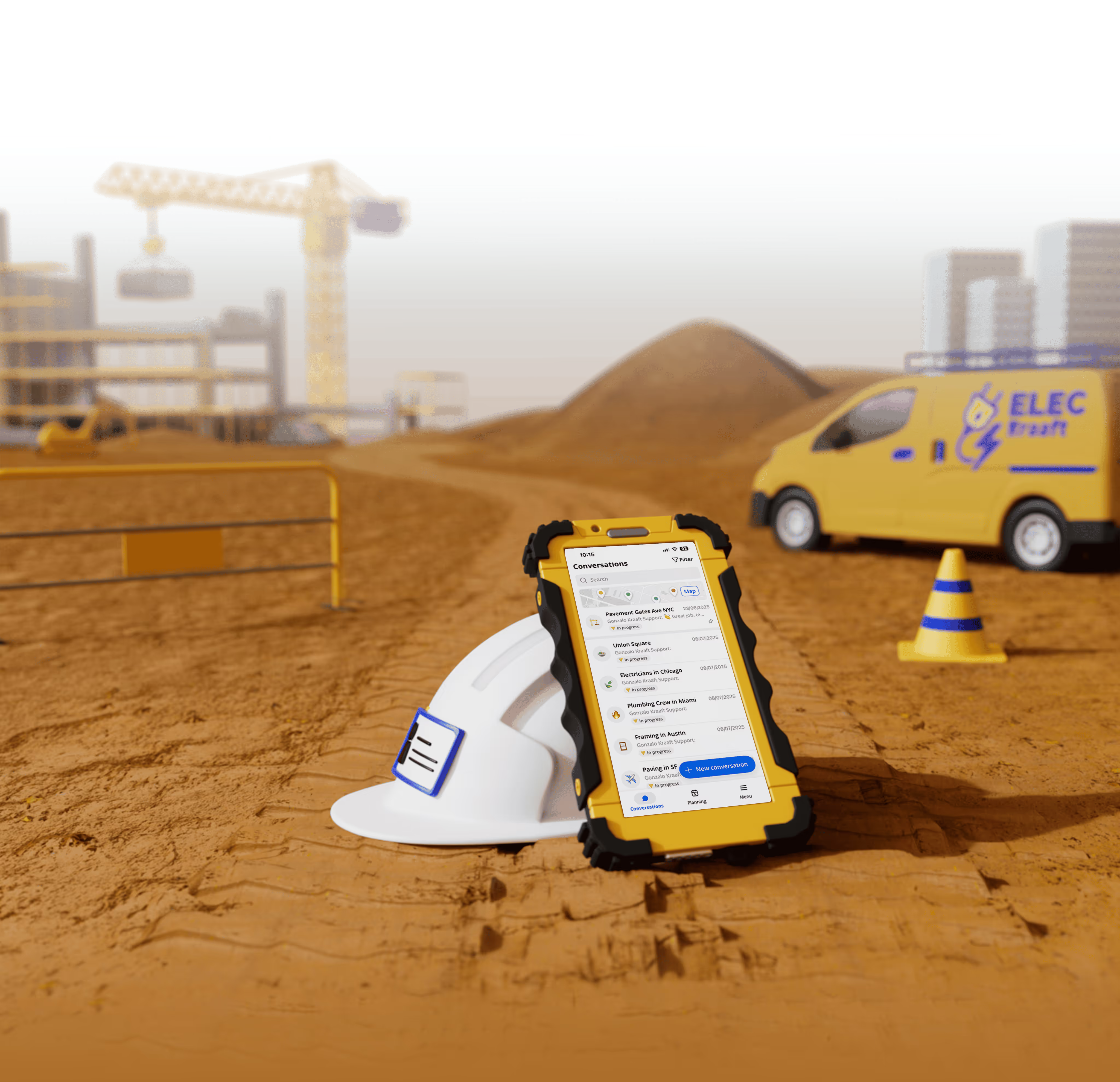
Kraaft's interface is intentionally familiar — it looks and feels like WhatsApp or iMessage. That means your newest crew member can pick it up without training. No learning curve, no adoption headaches. You roll it out, people use it.
CrewCam has a clean interface too, but it's organized around projects and photo albums — a fundamentally different mental model that takes time to get used to.
Real Communication, Not Just Comments
With CrewCam, "communication" means leaving a comment on a photo or uploading something to a project feed. That's fine for documentation, but it's not how crews actually talk to each other.
Kraaft gives you real messaging — per-project channels where your crew can have actual conversations, share photos and videos in context, tag people, and get notifications. The difference between "leaving a comment on a photo" and "messaging your team" matters when things move fast on a job site.
Need to loop in the office quickly? Ask a question about a delivery? Confirm the plumber showed up? You do it in Kraaft the same way you'd do it in a text — but it's organized, searchable, and tied to the right job.
Tasks Live Inside the Chat
CrewCam has a checklist and task feature. But tasks are separate from conversation, which means the context gets lost. Who assigned it? What photos are related to it? What was the conversation around it?
In Kraaft, tasks live inside the project chat. You create them in context, assign them to crew members, and track completion without ever leaving the conversation. Everything stays together — the message, the photo, the task, the update.
Offline Mode That Actually Works
Dead zones are a reality for most field crews. CrewCam has an offline mode, but Kraaft's offline capability is a core design feature, not an afterthought. Kraaft stores messages and photos locally on the device and syncs automatically when you get signal. Your crew keeps working, keeps documenting, keeps communicating — and everything catches up when they're back online.
For crews working in basements, remote sites, rural areas, or anywhere signal is unreliable, this isn't a nice-to-have. It's essential.
Daily Reports, Not Just Photos
CrewCam captures photos. Kraaft captures the whole job. Beyond photos and messages, Kraaft supports daily reports — structured field logs that document what happened on site each day, who was there, what work was done, and any issues that came up.
If you've ever been asked by an owner or GC "what was happening on site three weeks ago on a Tuesday?" — daily reports are what save you. With CrewCam, you'd be digging through photo timestamps and comments. With Kraaft, you pull the report.
AI-Powered Features Built for Construction
Kraaft has been building AI tools into its platform — not as a marketing gimmick, but for real field use cases: smarter project planning, automated organization of site photos, safety check assistance, and more. These are tools that reduce the administrative burden on crews and project managers, so time on the app means less paperwork, not more.
CrewCam doesn't currently offer AI-driven features at this level.
Pricing: What You Actually Get
CrewCam's pricing starts at $39/month for 2 users, $89/month for up to 5 users, and $224/month for up to 15 users. For a growing crew, that adds up fast — and you're paying primarily for a photo storage and organization tool.
Kraaft is a full field operations platform. The value comparison isn't photo storage vs. photo storage — it's "photo app" vs. "everything your crew needs to run a job site."
Who Should Use CrewCam
CrewCam is a solid fit for very small operations — a solo contractor or a 2-3 person crew — where the main need is keeping job photos organized and off your personal phone. If your communication already works fine and you just need better photo documentation, it does that job.
Who Should Use Kraaft
Kraaft is built for field teams that need more than a photo album. If your crew needs to:
- Communicate in real time across a job site
- Stay connected with the office without drowning in group texts
- Assign and track tasks in context
- Write and store daily reports
- Work reliably with spotty or no signal
- Scale from a small crew to a large multi-site operation
...then Kraaft is the tool that was actually built for you.
Kraaft is used by leading construction groups including VINCI and Bouygues, as well as thousands of SMBs, and has been deployed across more than 600,000 job sites worldwide. That scale reflects something real: crews use it because it works, and keeps working as their teams grow.
The Bottom Line
CrewCam answers the question: "Where do our job photos go?"
Kraaft answers the question: "How do field teams actually work?"
If you're building a serious operation — one where coordination, communication, and documentation all matter — Kraaft gives you a platform that grows with you. CrewCam gives you a photo drawer.
Try Kraaft free and see why crews on 600,000+ job sites choose it over single-purpose photo apps.
Reconnect the site
and the office