



Kraaft vs PlanRadar for Construction in 2026: Which Wins on the Jobsite?
Kraaft vs PlanRadar for Construction in 2026: Which Wins on the Jobsite?
Quick answer: For most construction and field teams, Kraaft is the faster, lower-friction choice — especially if the real problem is getting subcontractors to report anything at all. PlanRadar still fits large, multi-stakeholder projects that need a formal, BIM-pinned audit trail. Kraaft is used on more than 900,000 job sites across 14 countries. Start your free trial or book a demo to see it on your own sites.
Construction and facility teams juggling defects, tickets, and inspection reports often end up choosing between two very different philosophies: a structured ticketing system like PlanRadar, or a conversational platform like Kraaft that turns everyday chat into documentation. Teams usually start comparing the two for one of two reasons — they need tighter accountability on defects and quality issues, or they're struggling to get every subcontractor to actually log anything at all.
Both tools aim to reduce the back-and-forth of chasing down who fixed what, but they start from opposite assumptions about how field teams work. PlanRadar assumes teams will learn and use a structured ticketing workflow. Kraaft assumes they'll keep doing what they already do — texting photos and updates — and builds the documentation around that. Here's a detailed look at how the two compare.
What is PlanRadar?
PlanRadar is a ticket-based defect and quality management platform built for construction, real estate, and facility management. Teams pin issues and annotations directly to digital plans or BIM models, assign tickets, and generate structured reports. It's popular with site managers, architects, and inspectors who need a clear audit trail tied to an exact plan location, and it extends past the construction phase into facility management, where tickets track maintenance issues against a building's floor plans over its whole lifecycle.
Getting the most out of it typically means investing in configuration up front: custom ticket templates, approval workflows, and user permissions across potentially dozens of stakeholders on a single project.
What is Kraaft?
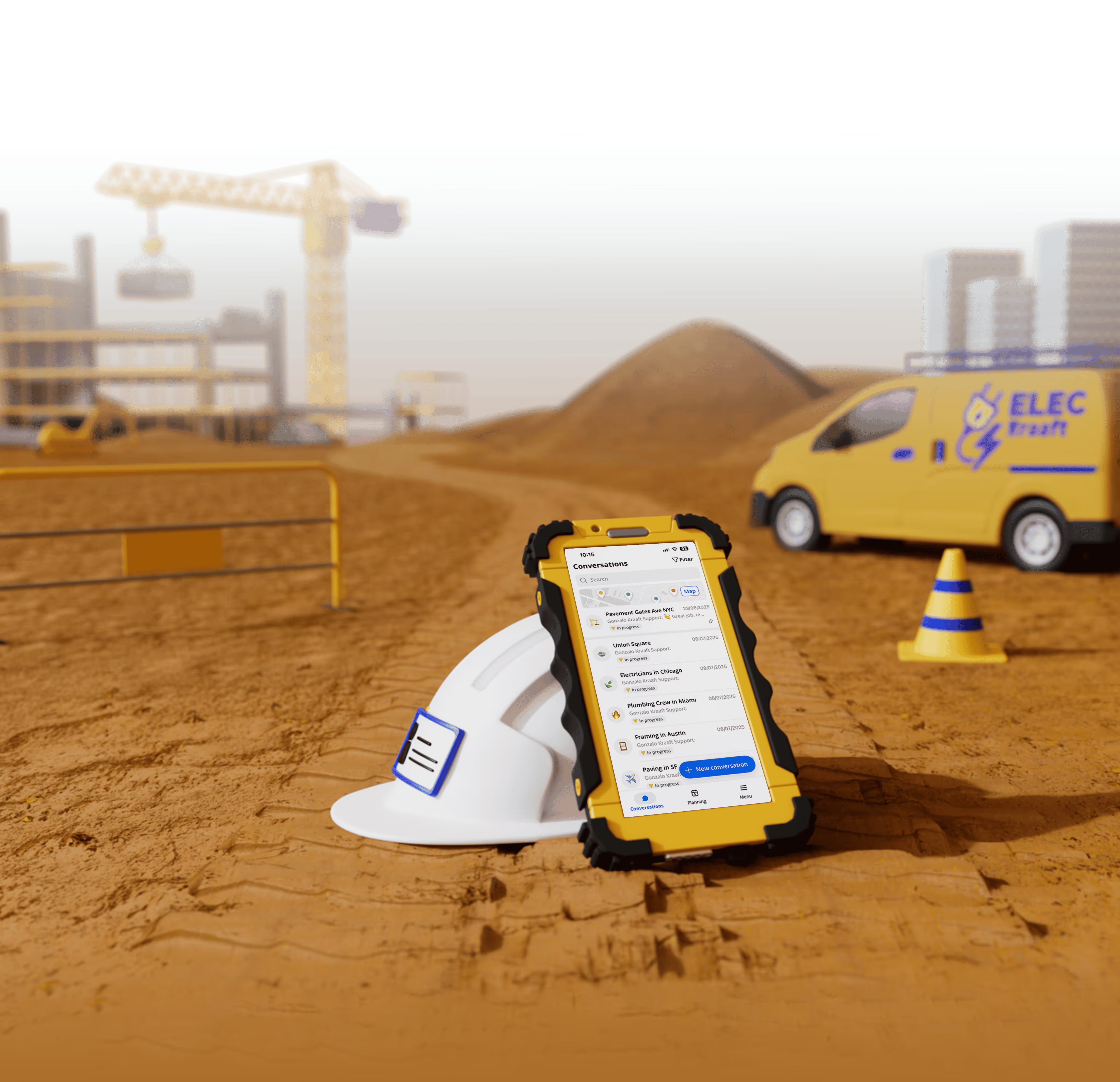
Kraaft takes a different starting point: messaging. Field teams chat the way they already do on WhatsApp — sharing geo-located photos and voice notes — and Kraaft turns that activity into daily reports, task tracking, and project files automatically. More than 900,000 construction sites across 14 countries use it, with no training required.
Instead of asking crews to learn a ticketing system, Kraaft works inside a chat thread they already understand, and structures the output automatically: photos get geotagged, messages become task updates, and a day of site activity becomes a clean, shareable report without separate data entry.
Where PlanRadar falls short on the jobsite
PlanRadar's ticket-and-location model only pays off once every stakeholder is actually logging issues through it — and that's exactly where its configuration-heavy rollout works against it. Ticket templates, approval workflows, and permissions all need setting up before the system is useful, Pro-tier features like the AI assistant and API access are gated behind higher pricing, and PlanRadar adds a 4% annual "innovation fee" on top of renewal. For teams that just need the field to report consistently, that's a lot of setup for something Kraaft does from day one.
Why most field teams choose Kraaft
For nearly everyone else, the real bottleneck is getting people to log anything at all. Kraaft's chat-first design solves that directly: there's no ticket template or workflow to configure before it's useful, so crews start chatting — and documenting issues as a side effect — from day one. Teams that switch from PlanRadar, email, or paper punch lists typically see more issues actually get logged, simply because reporting no longer requires opening a separate app.
PlanRadar vs Kraaft: feature by feature
- Core focus — Kraaft: team chat & automated reporting · PlanRadar: ticket-based defect & quality management
- Plan/BIM-pinned issues — Kraaft: via geo-located photos, not plan-pinned · PlanRadar: yes, core feature
- Daily field reports — Kraaft: generated automatically from chat · PlanRadar: custom template builder (Pro+)
- AI assistant — Kraaft: included (AI agents) · PlanRadar: Pro tier and up
- Approval workflows (RFIs, change orders) — Kraaft: included in workflows (Pro) · PlanRadar: Pro tier and up
- API access — Kraaft: Enterprise tier · PlanRadar: Pro tier and up
- Offline access — Kraaft: yes · PlanRadar: limited, local sync for tickets
- Setup & learning curve — Kraaft: minimal — works like a chat app · PlanRadar: configuration-heavy, steeper ramp-up
- Pricing model — Kraaft: flat per-user pricing · PlanRadar: per-user, plus an annual "innovation fee"
- Integrations — Kraaft: native integrations included; API on Enterprise tier · PlanRadar: PlanRadar Connect (200+ apps), Open API (Pro+)
- Industries served — Kraaft: primarily construction and field trades · PlanRadar: construction, real estate, facility management
- Typical rollout time — Kraaft: days, since crews already know how to chat · PlanRadar: weeks, given ticket templates and workflow setup
Pricing compared
- Entry — Kraaft: Solo, free (1 user) · PlanRadar: Basic, $32/month (1 user)
- Growth — Kraaft: Pro, $25/user/month (4-user minimum) — already includes the full feature set · PlanRadar: Starter, $107/month (up to 10 users)
- Pro — Kraaft: still just Pro — no premium tier required · PlanRadar: Pro, $159/month (up to 10 users), plus the annual innovation fee
- Enterprise — Kraaft: custom quote · PlanRadar: custom quote
PlanRadar also applies a 4% annual "innovation fee" on renewal. Published rates as of October 2026 — see current Kraaft plans on kraaft.co. Because PlanRadar's Starter and Pro tiers are priced per account rather than strictly per seat below 10 users, a growing team can hit a pricing cliff faster than the headline numbers suggest.
Frequently asked questions
Is PlanRadar or Kraaft better for defect management? For day-to-day defect tracking, most teams get better coverage with Kraaft: because crews actually use it, more issues get photographed and logged in the first place. PlanRadar's ticketing system adds real value on top of that for large projects that need a formal, BIM-pinned audit trail — but only once the team has fully adopted it.
Does Kraaft support BIM models like PlanRadar? No — Kraaft isn't a BIM or plan-pinning tool. It organizes photos, messages, and project files by project and location rather than by coordinates on a model. Teams that need both sometimes keep PlanRadar for formal defect tracking and use Kraaft for day-to-day field communication.
Why does PlanRadar cost more as a team grows? PlanRadar's Starter and Pro tiers are priced per account for up to 10 users, with an additional annual innovation fee on renewal, so costs can increase in steps rather than smoothly per seat. Kraaft's Pro plan is priced per user from a 4-user minimum, with no equivalent annual fee.
How long does it take to roll out each tool? PlanRadar typically needs ticket templates, workflows, and permissions configured before teams see full value — often a multi-week project. Kraaft's chat-first design means most crews are productive within days, since there's no workflow to build before it's useful.
How to choose
Choosing between the two comes down to one question: is your bottleneck formal defect tracking, or getting people to report at all?
Best for PlanRadar: large, multi-stakeholder projects that need defects pinned precisely to BIM models with a formal audit trail, and that can absorb the setup time.
Best for Kraaft: everyone else — especially teams juggling many small or fast-moving projects where a formal ticketing workflow isn't realistic. Here's how to find out fast:
- List the three things your crews currently struggle to report consistently — defects, daily logs, photos.
- Check whether those gaps come from missing structure, or from people simply not logging anything.
- If it's adoption, start a free Kraaft trial with one crew this week.
- Compare how many issues get logged in week one versus your current tool.
- Book a demo once you see the difference, to roll it out across your other sites.
The bottom line
PlanRadar can document problems well once a team has fully adopted it, but getting there is the hard part: the setup is involved enough to become a project of its own, and per-user costs climb quickly past ten users.
Kraaft skips that setup entirely. It assumes crews will keep communicating the way they already do, and builds the reporting and documentation around that behavior — which is why most construction and field teams get there faster with Kraaft. See how Kraaft's reporting works or compare current plans to see which fits your sites.
Next steps
- Start a free trial with one crew this week
- See how Kraaft turns chat into daily reports
- Compare current plans before you commit
Ready to get your crews actually reporting from the field? Start your free trial today.

Reconnect the site
and the office